Android Twitter App is quite popular now. Right now the trend of the dark mode is viral. Dark mode not only saves power but it looks amazing. Most of the well-known apps such as Google Maps, Gmail, Youtube, etc, already have a dark mode.
Google maps look awesome in the dark. And I would say the Twitter app is also looking magnificent in dark mode. It is looking so gorgeous that in the day time you will keep enabling the dark mode.
The Dark Mode has already arrived in the iOS but in Android, it is arriving now.
Not only dark mode enhances the beauty of the app but you will feel more happy to use it. And if you use Twitter daily many times then you will love this feature. So, the Android Twitter app now will receive the updates of this mode.
Note that Twitter already had a Dark mode option since 2016. The company rolled out an OLED night mode dubbed “Lights out” on March 28. And it is coming from the version 8.19.0 of the app.
HOW TO ENABLE DARK MODE(PREVIOUSLY NIGHT MODE)
STEP 1- First make sure you are on the main page of your app. Then tap on your profile icon.
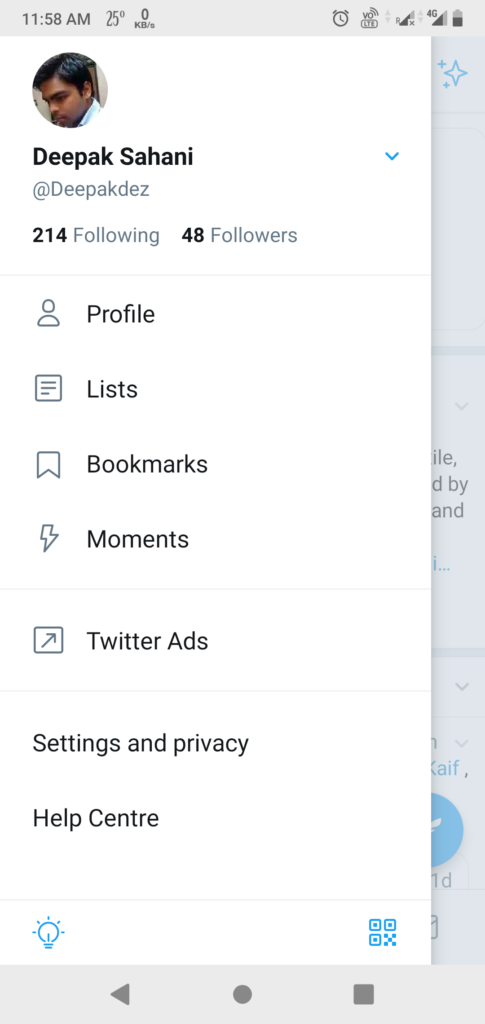
STEP 2- Tap on Settings and Privacy.
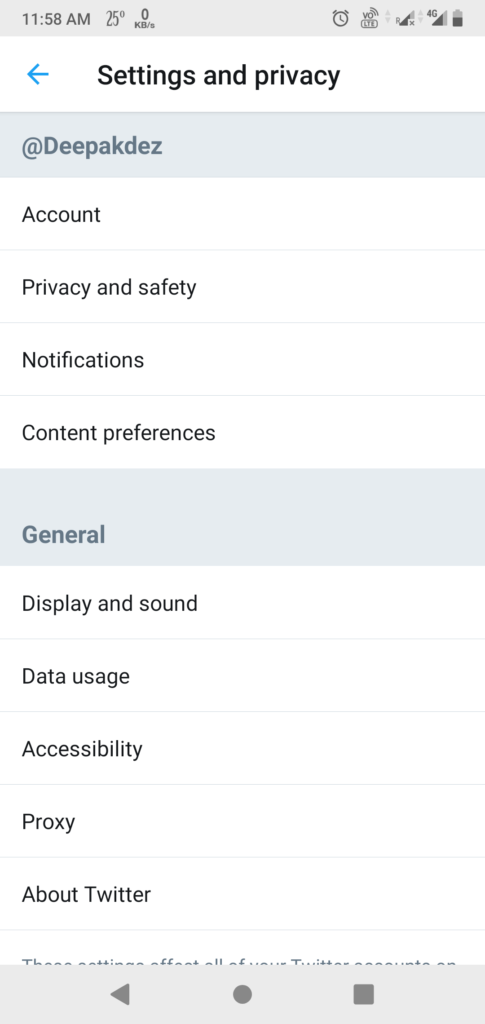
STEP 3- In Settings search for Display and Sound. Tap on it.
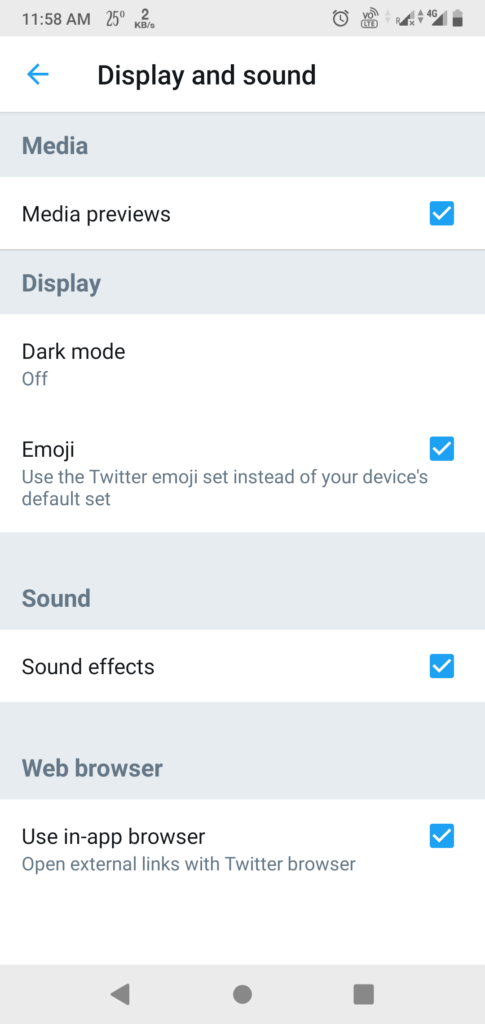
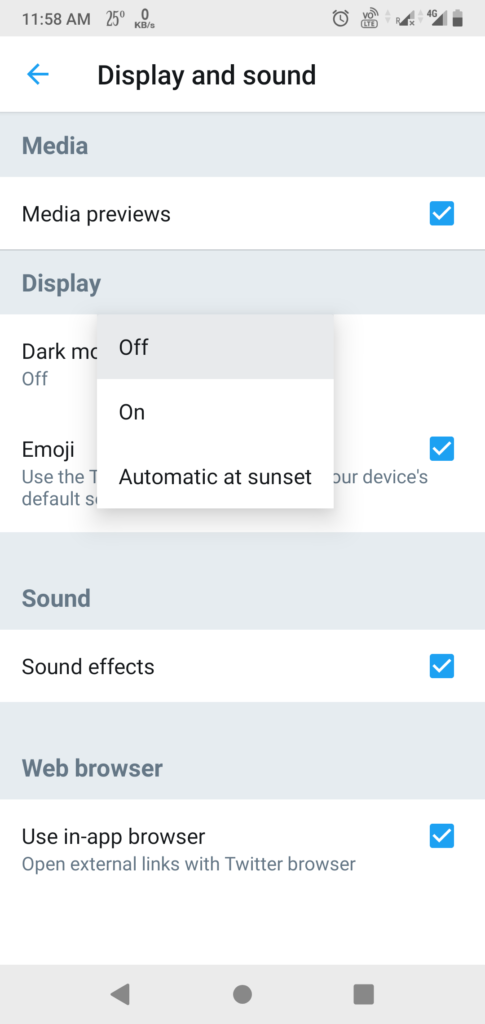
STEP 4- In-Display and Sound tap on Dark Mode. You will get 3 options, OFF, ON, AUTOMATIC AT SUNSET. Choose your preferred option.
SAMPLES OF DARK MODE.
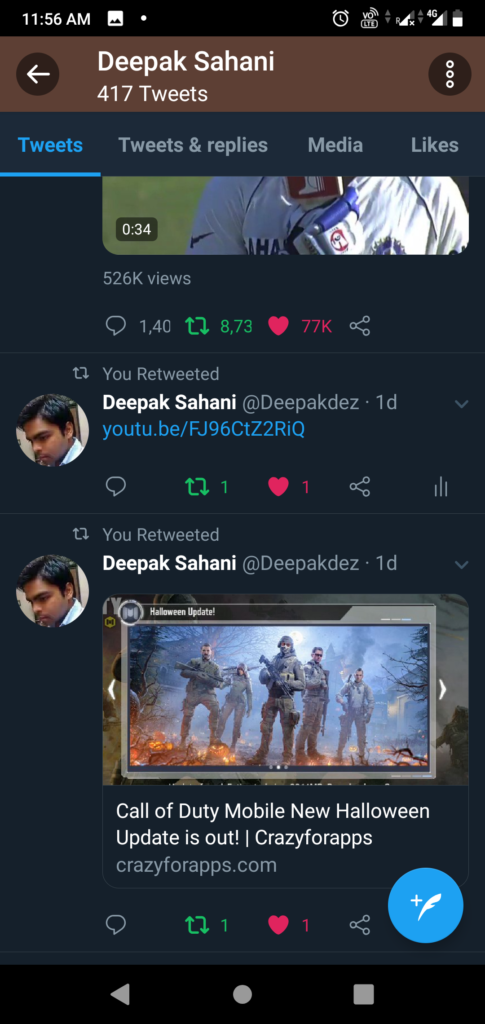

The pure dark mode feature has been much in demand with the growing popularity of AMOLED display. The Android Twitter app has already a Night Mode. With the availability of AMOLED displays in mid-range and budget devices, this feature is needed the most. And so the Engineers on Twitter are working on the same.
Twitter is now rolling out the “Lights Out” OLED black dark theme to the latest Alpha build.
Light out mode is showing up in version 8.19.0 of the alpha version of the official Twitter app.
FOLLOW ME ON TWITTER Crazyforapps
ALSO, READ
Cool and Interesting Facts about Android!
NEW ANDROID APPS TO DOWNLOAD FROM OCTOBER 2019
THE BEST APPS AND GAMES FOR THIS FOOTBALL SEASON….




![New Android Games From February 2022 [Part 4]](https://appscountry.com/wp-content/uploads/2022/02/New-Android-Games-From-February-2022-Part-4-1-300x200.jpg)


![New Android apps from January 2022 [Part 2]](https://appscountry.com/wp-content/uploads/2022/01/New-Android-apps-from-January-2022-Part-2-1-300x200.jpg)




![16 BEST MUSIC APPS IN INDIA TO ENJOY MUSIC [2021]](https://appscountry.com/wp-content/uploads/2021/07/BEST-MUSIC-APPS-IN-INDIA-1-300x200.jpg)



MIUI10 Launcher
Thankfulness to my father who shared with me concerning this web site, this weblog
is truly remarkable.
SumorokovskijVer
I use the CryptoTab browser – and I advise you! With CryptoTab, you can receive BTC simply by visiting your favorite sites or watching YouTube videos. CryptoTab is based on Chromium: it is fast, reliable and with a familiar interface. http://bit.ly/2I8jqBc
http://bit.ly/2Gfe6si
[url=http://www.animalartfest.com/?p=1#comment-218062]cancun resort casino in las vegas[/url] [url=https://www.acnease.com/user_eusite/?section=index&ac=default&¶ms[err_code_CAPTCHA_VALIDATION_FAILED]=1&WASUID=284fe0d643856d3fa4d3dcaf9aaccfb4&WASOID=383523]capri casino isle isle mile[/url] [url=http://www.reggaefrance.com/forum/fitness-at-mystic-lake-casino-prior-lake-minnesota-t403953.html]fitness at mystic lake casino prior lake minnesota[/url] 3c6c943
@_en