Hi Everyone. If you are encountering this update stuck chrome browser and android system webview problem then try the below tips.
A recent problem nowadays is being seen that in some devices after the updates of new versions of Play Store and ANDROID 11, the android system Webview and Chrome gets stuck while updating.
When we try to auto-update apps or update the apps then all the un-updated apps start to begin update but, Chrome and Android system web view got stuck.
So, to solve the problem here are few things you can try.
In many cases, this problem has gone.
METHOD 1
STEP ONE-
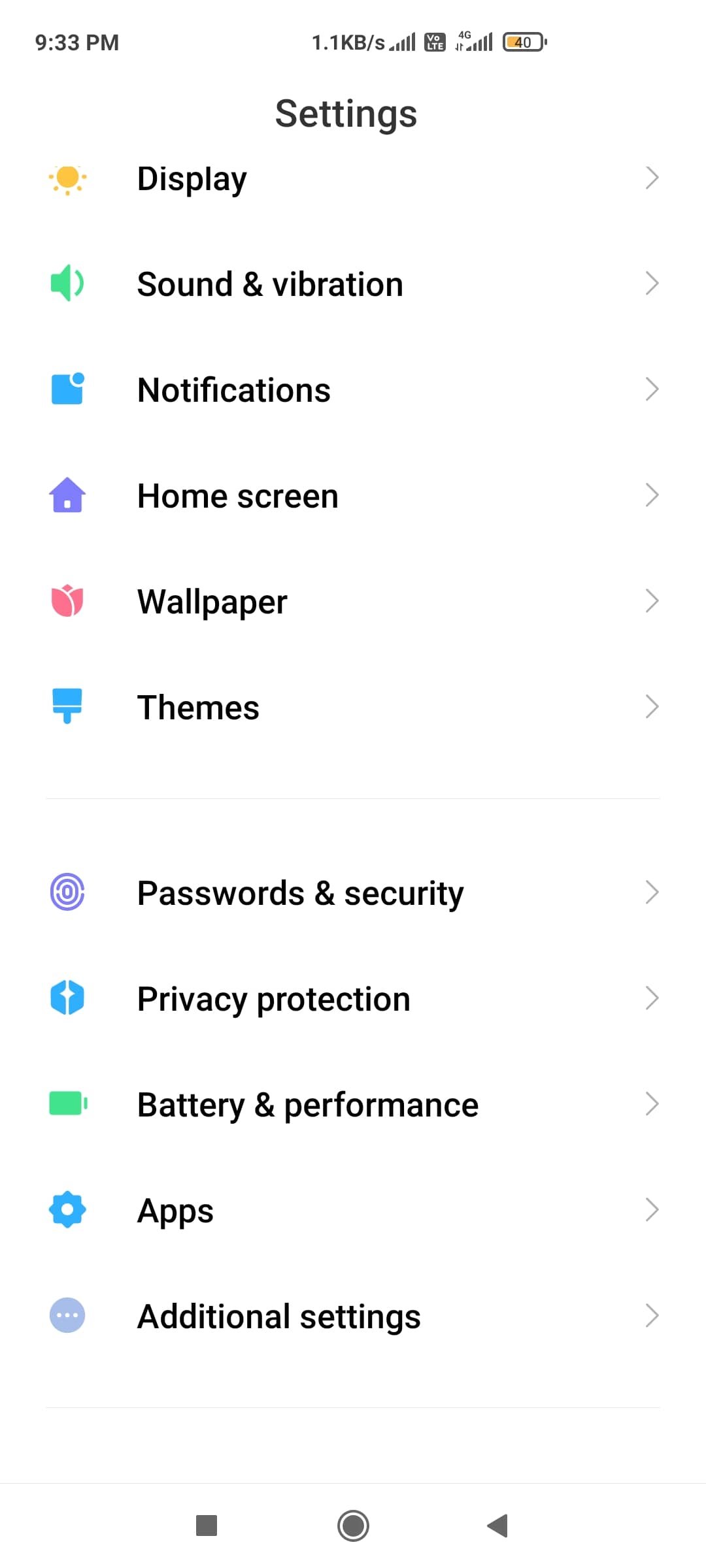
Go into your apps section.
STEP TWO-
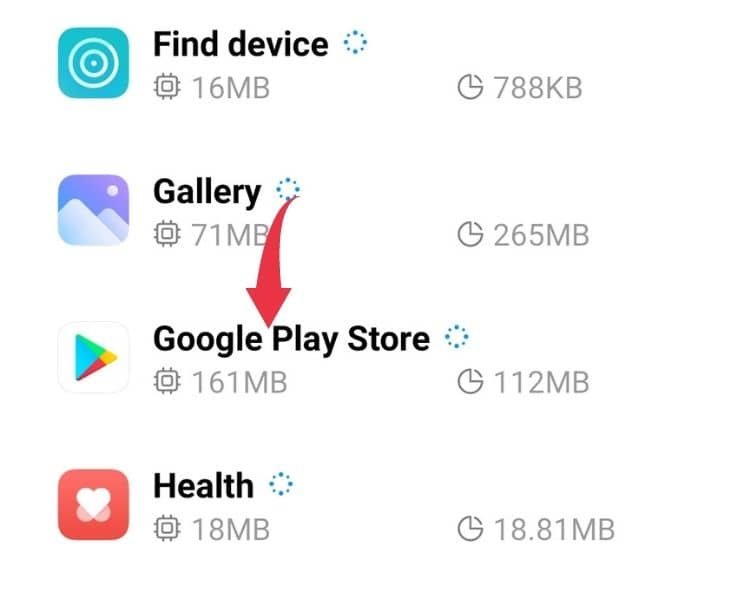
Search for Play Store App.
STEP THREE-
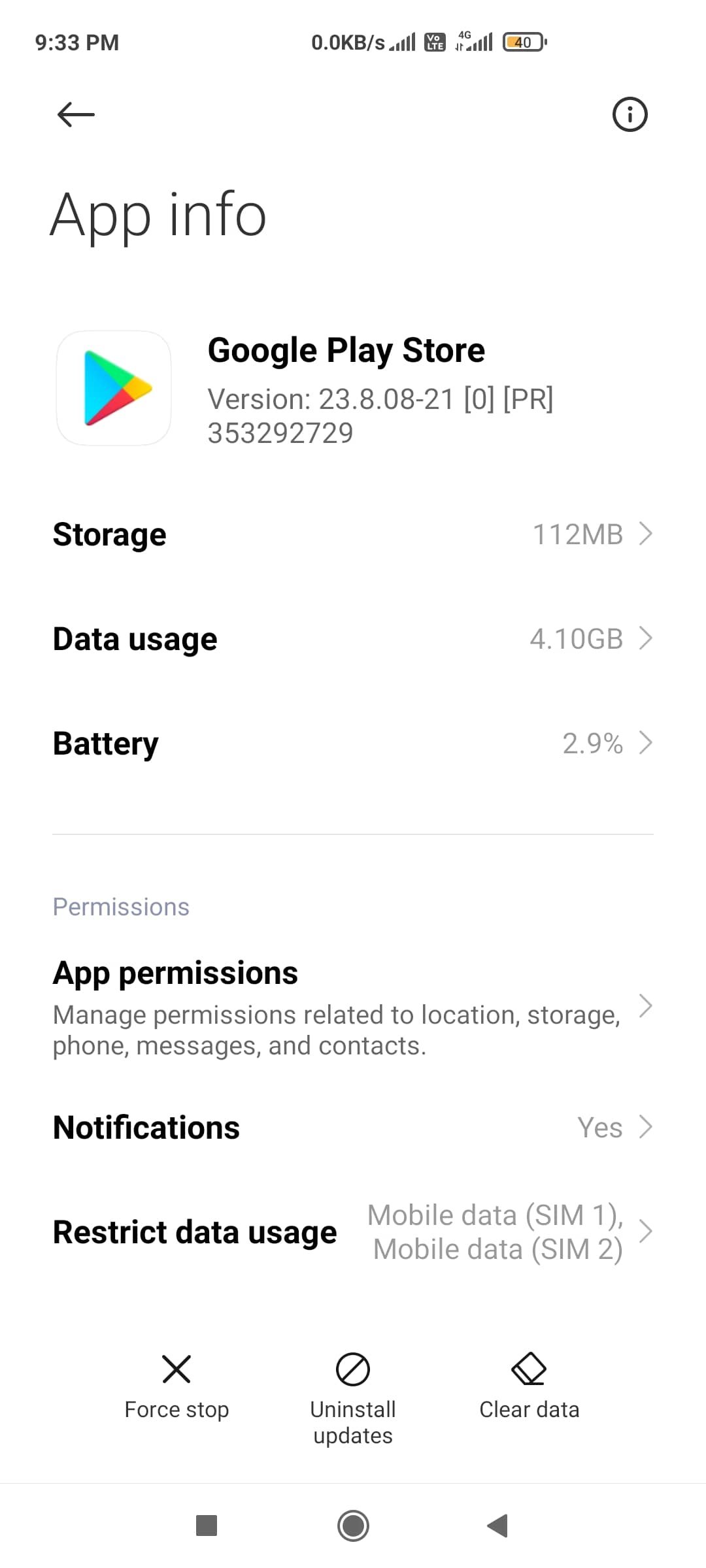
Now clear the data of the app(Play Store app.) You can see that option below in the rightmost corner.
NOTE:- YOU CAN ALSO CLEAR THE DATA OF CHROME APP.
BUT, ALSO CLEAR DAT FROM GOOGLE PLAY APP. THAT IS MOST IMPORTANT STEP.
FINALLY,
Update all the apps.
Then if not updating, then again tap Chrome and Android System Web view to update. Double-tap and keep pressing the update button.
If still not then again tap to update button.
They eventually will update.
THIS METHOD ALSO WORKS FOR MOST OF THE DEVICES
1. Go to your phones Settings,
2. Go to Apps or Manage Apps,
3. Find and click on the Google Play Store to access its details/properties screen,
4. Click the 3 dots at the top,
5. Select “Uninstall Updates”.
ALSO,
Go to settings, then search for “android system webview”, in the app settings there is a menu button at the top right (3 dots).
Open it and then select “uninstall updates”. Close out and head to the Play Store. Check to see if the app is still stuck trying to install. If so, restart your device. Once you are booted back up head back to the play store and check for app updates.
If still not then again tap on update. Then it will certainly update.
There should be a new update for Android System Webview. Update accordingly.
I hope with these solutions your update stuck chrome browser problem can be solved.
ALSO, READ
- Top Ten Best Android apps- February 2021
- Best Android games of the year 2020[Released in year 2020].

![New Android Games From February 2022 [Part 4]](https://appscountry.com/wp-content/uploads/2022/02/New-Android-Games-From-February-2022-Part-4-1-300x200.jpg)

![New Android apps from January 2022 [Part 2]](https://appscountry.com/wp-content/uploads/2022/01/New-Android-apps-from-January-2022-Part-2-1-300x200.jpg)
![16 BEST MUSIC APPS IN INDIA TO ENJOY MUSIC [2021]](https://appscountry.com/wp-content/uploads/2021/07/BEST-MUSIC-APPS-IN-INDIA-1-300x200.jpg)